A simpler way to rate your ride
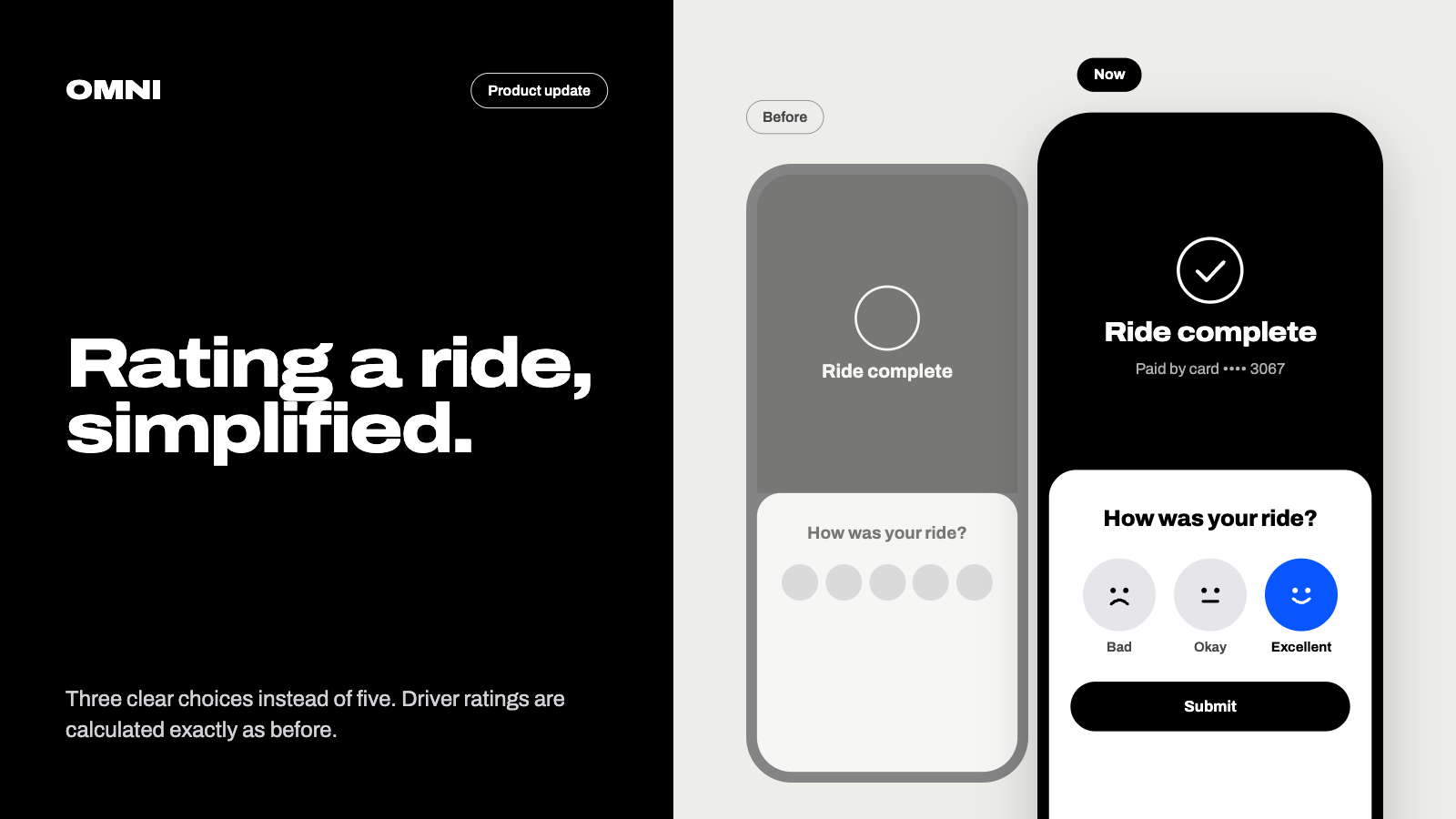
Rating a ride is getting simpler. Instead of choosing from five options, riders will now pick one of three: Bad, Okay, or Excellent.
Why we’re making the change
Our technology partner tested this three-option screen across its booking platform, comparing it with the current five-option design. The results were clear enough that we’re adopting it before launch:
4.3% more trips received a rating. A simpler screen meant more riders left feedback, which gives a fuller picture of each trip.
53.4% fewer unusually low ratings for well-rated drivers. Drivers who normally rate 4–5 stars got far fewer outlier low scores. That points to fewer accidental taps and feedback that better reflects the trip.
About 4 percentage points more 5-star ratings, with no rise in 1-star ratings. Riders weren’t nudged away from honest negative feedback.
What this means for drivers
How your rating is calculated is not changing. Only the screen riders see is new. Each choice maps to the existing 5-star scale:
Bad → 1 star
Okay → 4 stars
Excellent → 5 stars
Questions?
If you have questions about the change or the test results, reply to this post or contact us at support@rideomni.com.
— The Omni Team